
Loading…
Loading…
SOC 2, HIPAA, PCI DSS, ISO 27001, and CMMC L1 compliance · self-hosted
Scorifya Controls runs 54 automated checks across AWS, GitHub, GCP, and Azure, each mapped to SOC 2, PCI DSS 4.0.1, ISO/IEC 27001:2022 Annex A, the HIPAA Security Rule, and CMMC Level 1, tracks 49 manual controls with evidence, and generates audit-ready reports plus a Statement of Applicability and NIST CSF 2.0 and CIS v8 coverage views, all self-hosted on your own infrastructure, with no per-seat licensing. Built for seed-stage startups and small SaaS teams preparing for their first SOC 2 audit, a HIPAA security program, a SAQ A / A-EP PCI assessment, an ISO 27001 certification, or a CMMC Level 1 self-assessment.
Watch the overview
A 90-second walkthrough of why self-hosting keeps your compliance tooling out of your audit scope, and how one deployment covers all five frameworks.
See it before you buy
Live screenshots from a running instance, not mockups. What you see is what ships on day one. Or skip the screenshots and click through the live demo yourself.
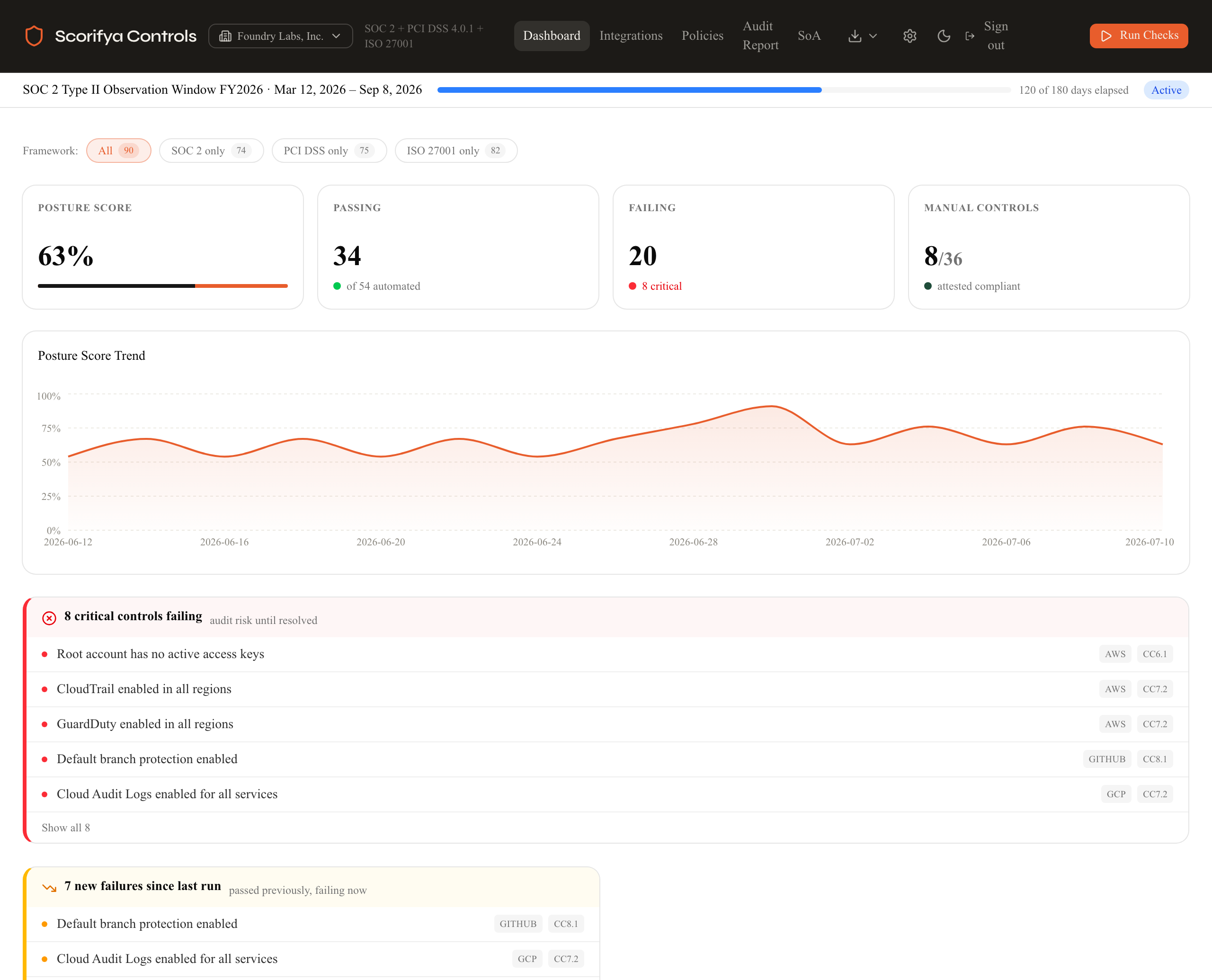
The dashboard shows your live compliance posture score, a trend chart across every check run, and a precise count of what's passing and failing right now. The drift detection banner surfaces exactly what changed since your last run, what broke, what you fixed. When your auditor asks how controls performed across the observation window, you show them this chart. No spreadsheet. No manual assembly.
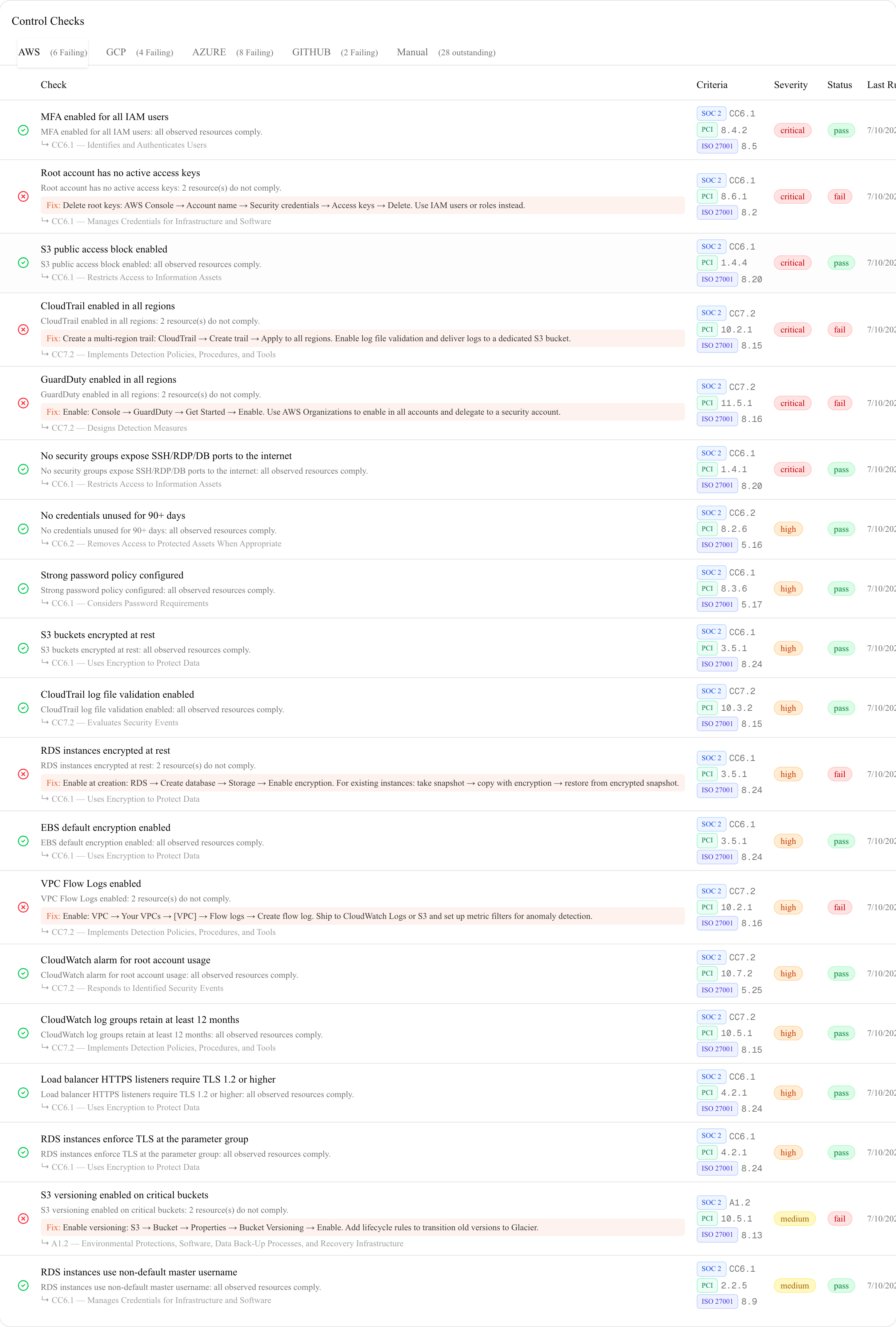
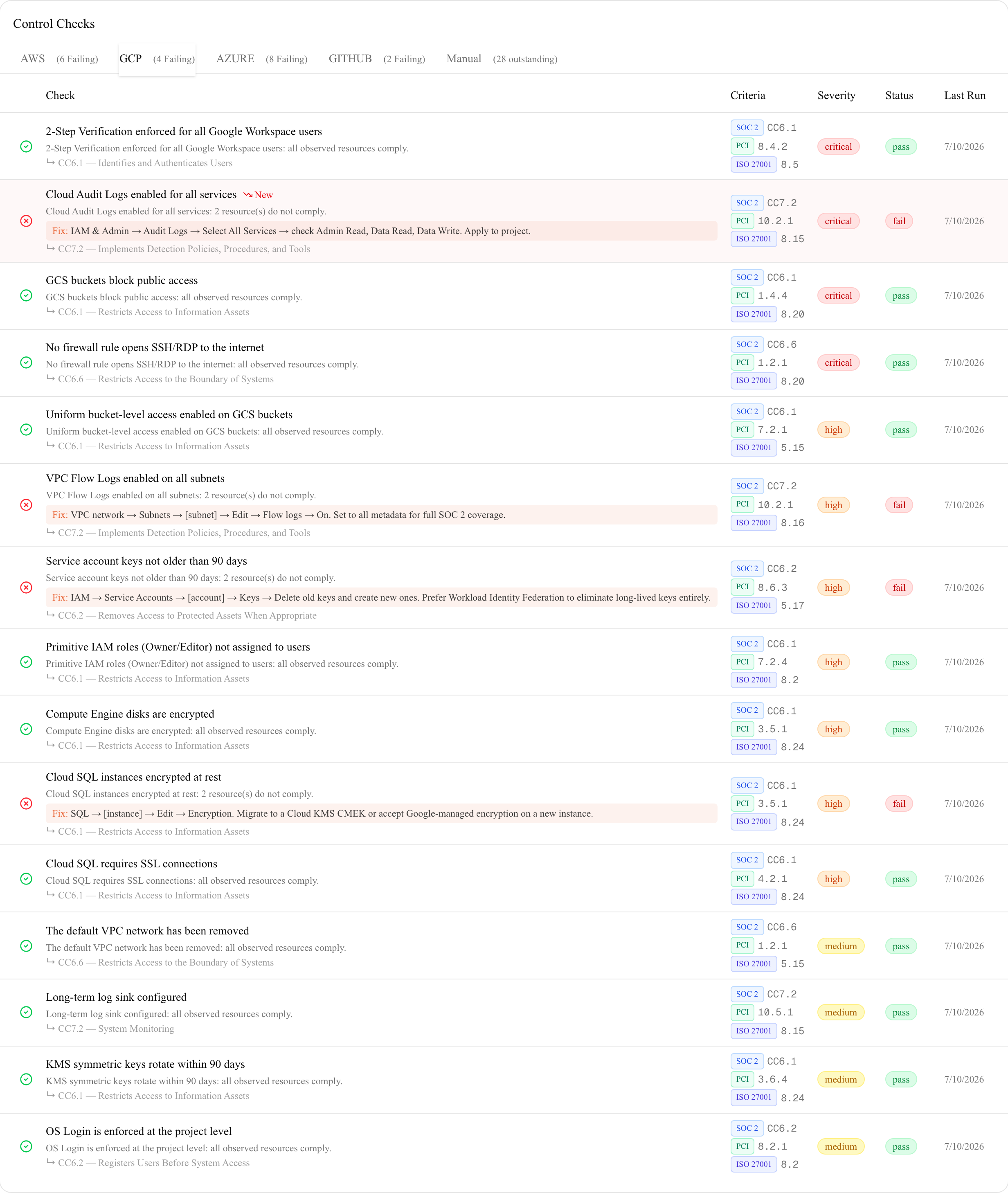
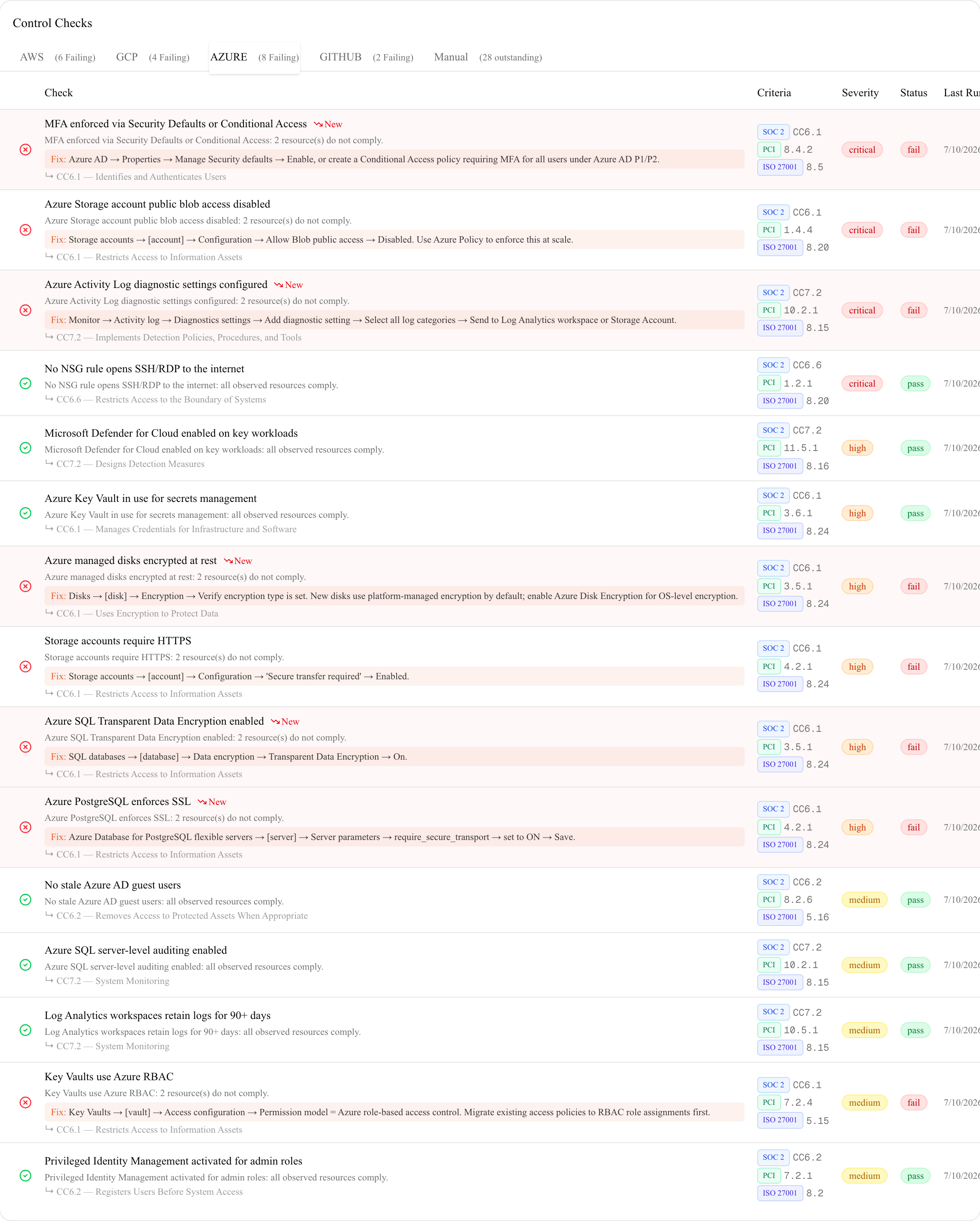
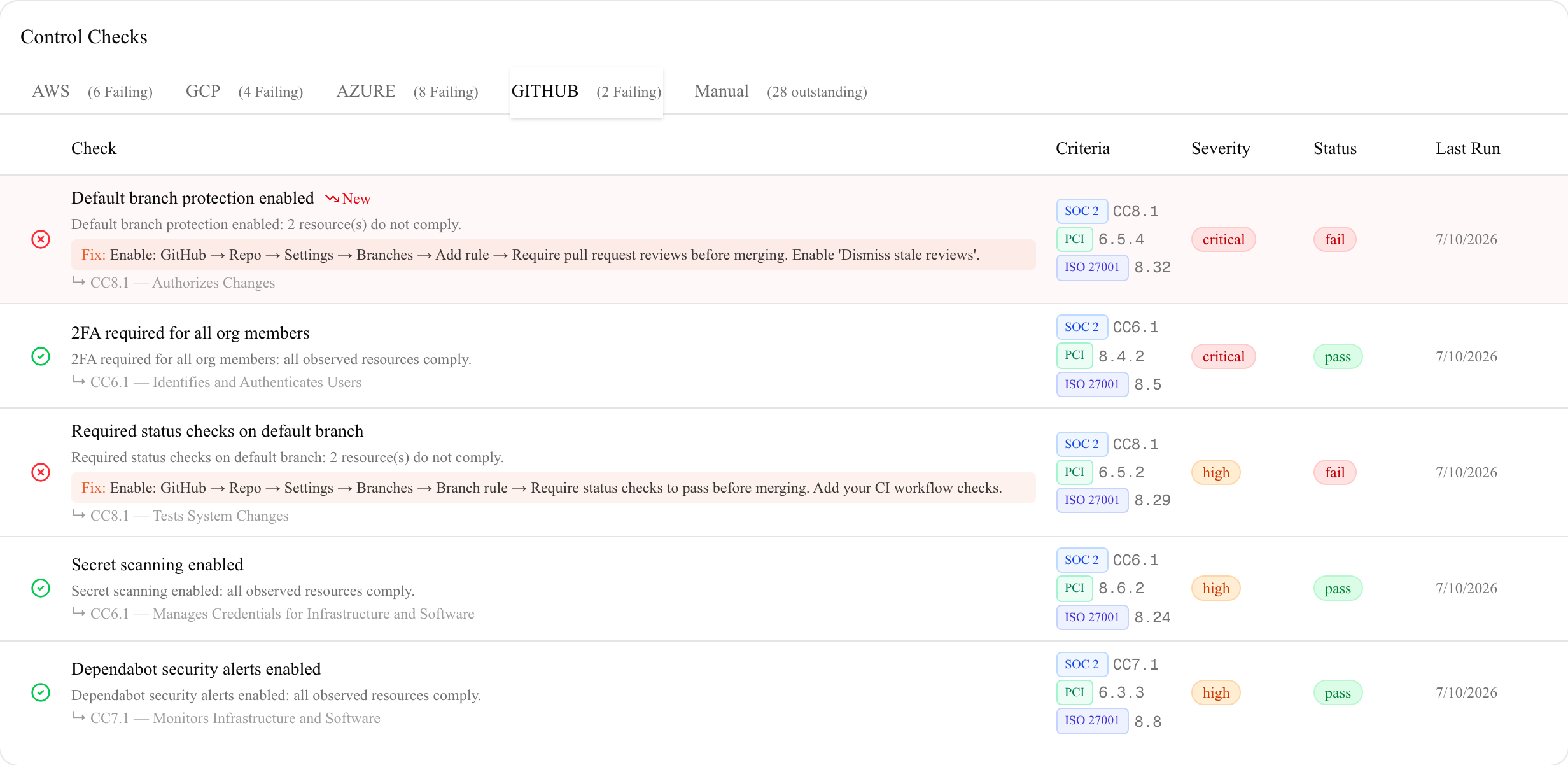
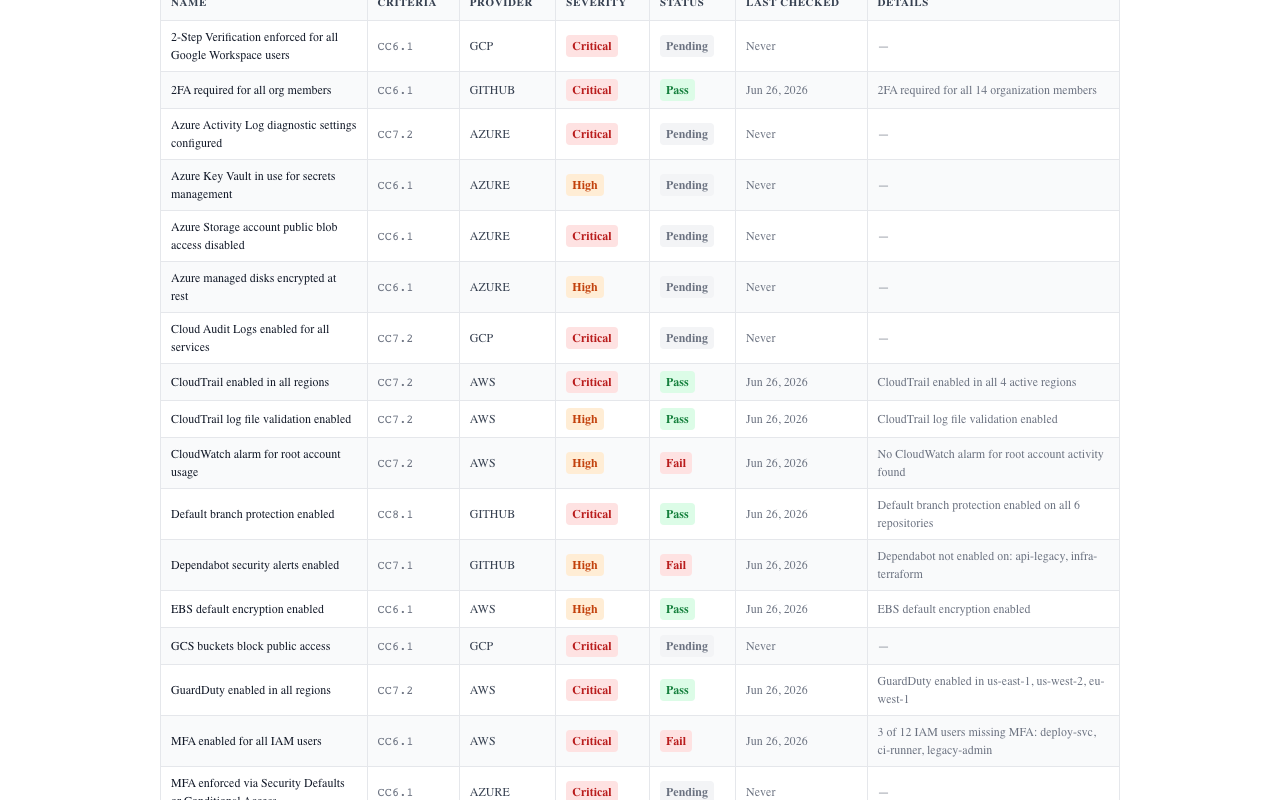
Every check is dual-mapped: a SOC 2 Trust Services Criterion and the matching PCI DSS 4.0.1 requirement, side by side on the same row. AWS, GCP, Azure, and GitHub checks all run against your live accounts and return results in minutes. Each failing check shows both the SOC 2 criterion and the PCI requirement plus severity, so you know exactly which gaps to close first. Your auditor and your QSA each see labels they already recognize. No translation required between what you've built and what they need to certify.
Vanta and Drata start at $10,000–$15,000/year and are built for Series B+ companies with dedicated security teams. Below that, teams either pay for tools they barely use or manage SOC 2 readiness through spreadsheets and manual screenshots.
Controls targets the $0–$7,500/year bracket: the team that just landed their first enterprise customer asking for a SOC 2, and needs a real tool, not a spreadsheet.
54
automated checks
4
clouds: AWS, GCP, Azure, GitHub
49
manual controls with evidence
5
frameworks, every tier
Every check is mapped to specific AICPA TSC 2017 criteria and, where applicable, PCI DSS 4.0.1, ISO/IEC 27001:2022, HIPAA Security Rule, and CMMC L1 requirements. Findings open automatically with remediation targets, exceptions are sealed with RFC 3161 timestamps, and every attestation is independently verifiable.
See every check and control, with framework mappings → What's new →
Three tiers, monthly or annual on every tier, no per-seat charges. Pick the scope that matches the clouds you actually run.
Founders pricing, 25 of 25 spots left
Starter
One cloud of your choice. The seed startup's first SOC 2 tool.
billed annually, cancel any time
Pro
Every cloud you run. Most teams pick this.
billed annually, cancel any time
Team
Agencies and consultants. Multi-tenant.
billed annually, cancel any time
SOC 2, PCI DSS 4.0.1, ISO/IEC 27001:2022, HIPAA, and CMMC L1, all five included. One deployment covers all five frameworks, on every tier, at the current prices. No per-framework add-on. PCI coverage is scoped to SAQ A and A-EP merchants, and HIPAA coverage is the Security Rule, not the Privacy Rule.
Your first month is the trial. Every self-serve tier is billed monthly with no annual contract, backed by a 30-day money-back guarantee. If Controls doesn't work for your environment, email team@scorifya.com within 30 days for a full refund. No questions asked. One 30-day guarantee per company (per email or registered domain); prior refunded orders aren't eligible for another. Enterprise agreements carry their own contract terms.
Enterprise
From $999/mo billed annually, for companies running multiple instances or business units. Adds a custom registered-domain count, annual invoicing with net-30 terms, MSA and DPA review, security questionnaire support, and priority support. Same self-hosted product; your security team can evaluate the right now with no NDA and no discovery call. .
The steps to get audit-ready, in order, sent to your inbox. Pick your framework. One email, no drip campaign, and we never share your address.
Four written policies auditors expect to see, in Markdown you can edit and adopt: Information Security, Acceptable Use, Access Control, and Incident Response. Fill-in placeholders. No drip campaign.
Controls ships as a Docker image. You run it on your own infrastructure, your own VPS, cloud account, or internal server. AWS credentials, GitHub tokens, check results, evidence files, and attestation records never leave your environment. There is no external telemetry.
Compare that to SaaS compliance platforms: Vanta and Drata connect to your AWS and GitHub accounts and store your compliance data on their servers. For teams with data residency requirements or customers who ask where your audit evidence lives, Controls gives you a clean answer: on your server.
Three self-serve tiers, monthly or annual, plus an enterprise agreement for larger deployments. No per-seat pricing, no per-check pricing, no additional charges as your team grows.
One docker-compose.yml, one command, one setup screen, read-only cloud credentials, first checks. The step-by-step setup guide walks all eight steps with video walkthroughs — including providing audit evidence and what your auditor sees.
Comparing compliance platforms?
See how self-hosted Controls stacks up as a Vanta alternative, a Drata alternative, a Comp AI alternative, or a Probo alternative.
vCISO or compliance consultant?
Refer clients and earn 20% recurring commission for 12 months per client.
Need to check your public security posture first? Run a free Scorifya scan →
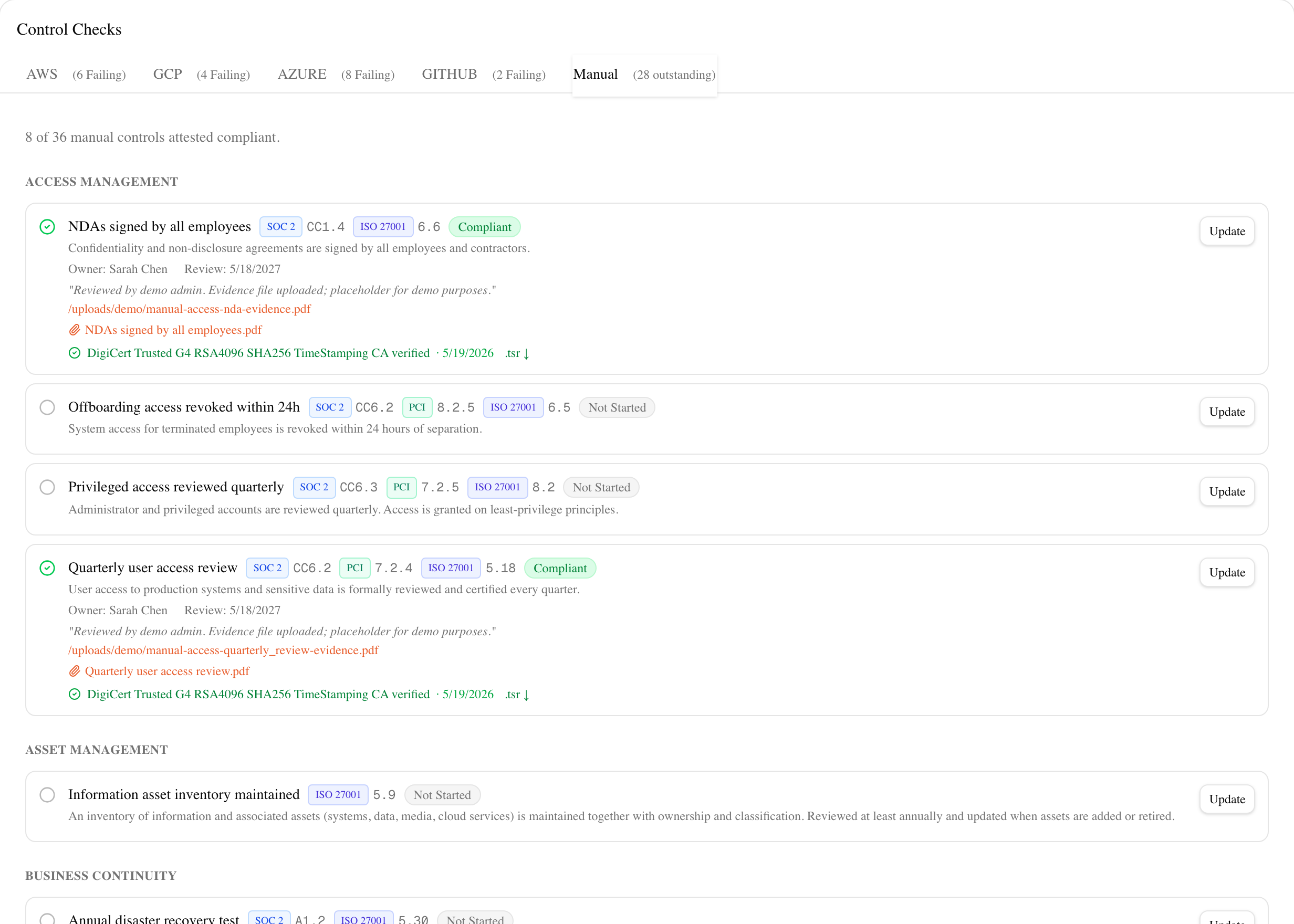
Automated checks cover roughly half of what a SOC 2 or PCI DSS audit touches. The rest is people, process, and policy: security awareness training, vendor reviews, incident response procedures, background checks. Each manual control gets a named owner, a next review date, and an evidence file upload. Overdue items surface immediately. Nothing slips through the cracks the week before your auditor shows up, because the system has been tracking it the entire observation period.
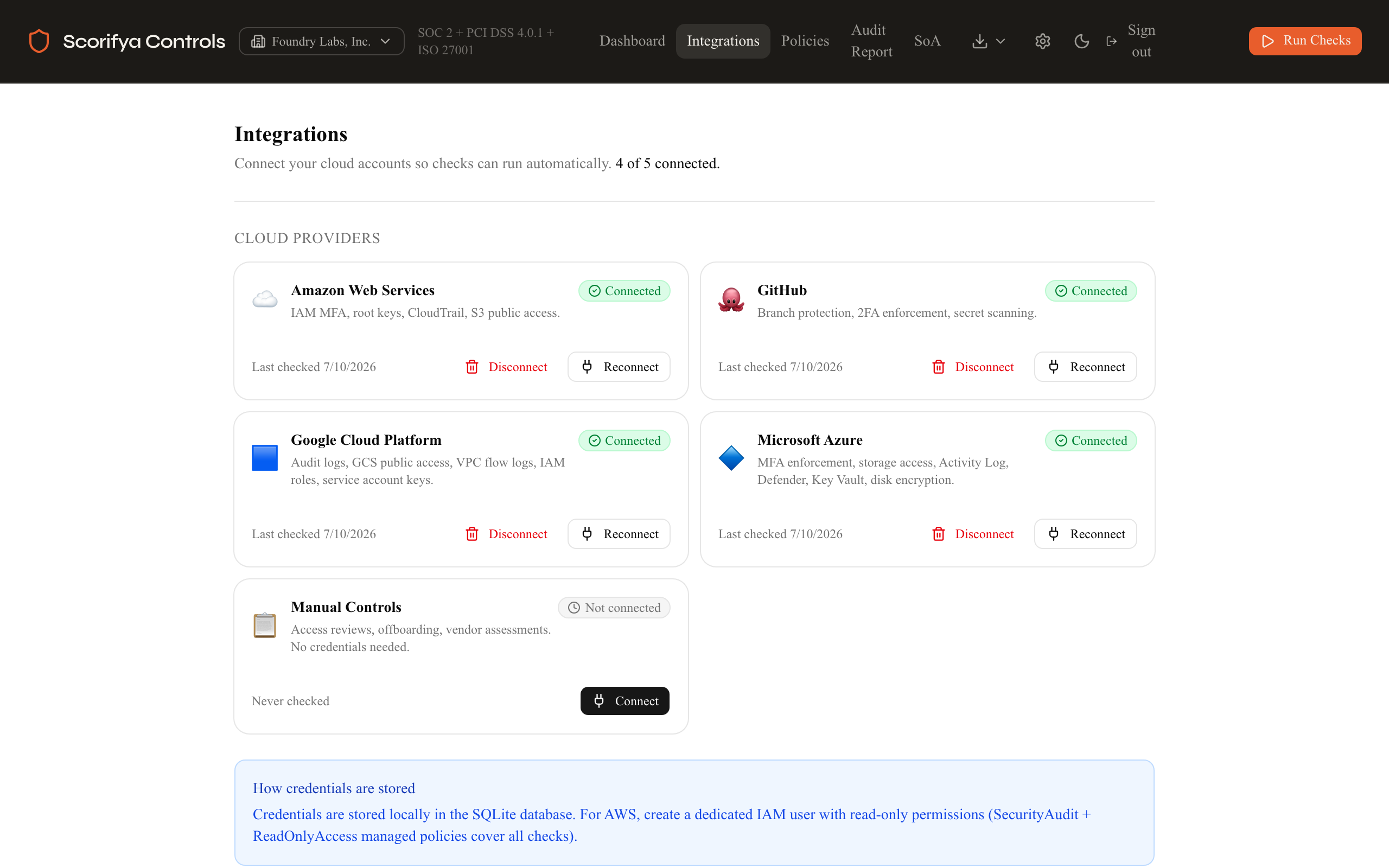
Connect AWS, GitHub, GCP, and Azure from a single integrations page. Every credential you enter, your AWS access key, GitHub personal access token, GCP service account JSON, is stored encrypted in the SQLite database running on your own infrastructure. It never transits Scorifya's servers. Compare that to Vanta: their OAuth authorization stores your AWS read access on their platform. If your customers ever ask where your audit evidence lives, your answer with Controls is two words: our server.
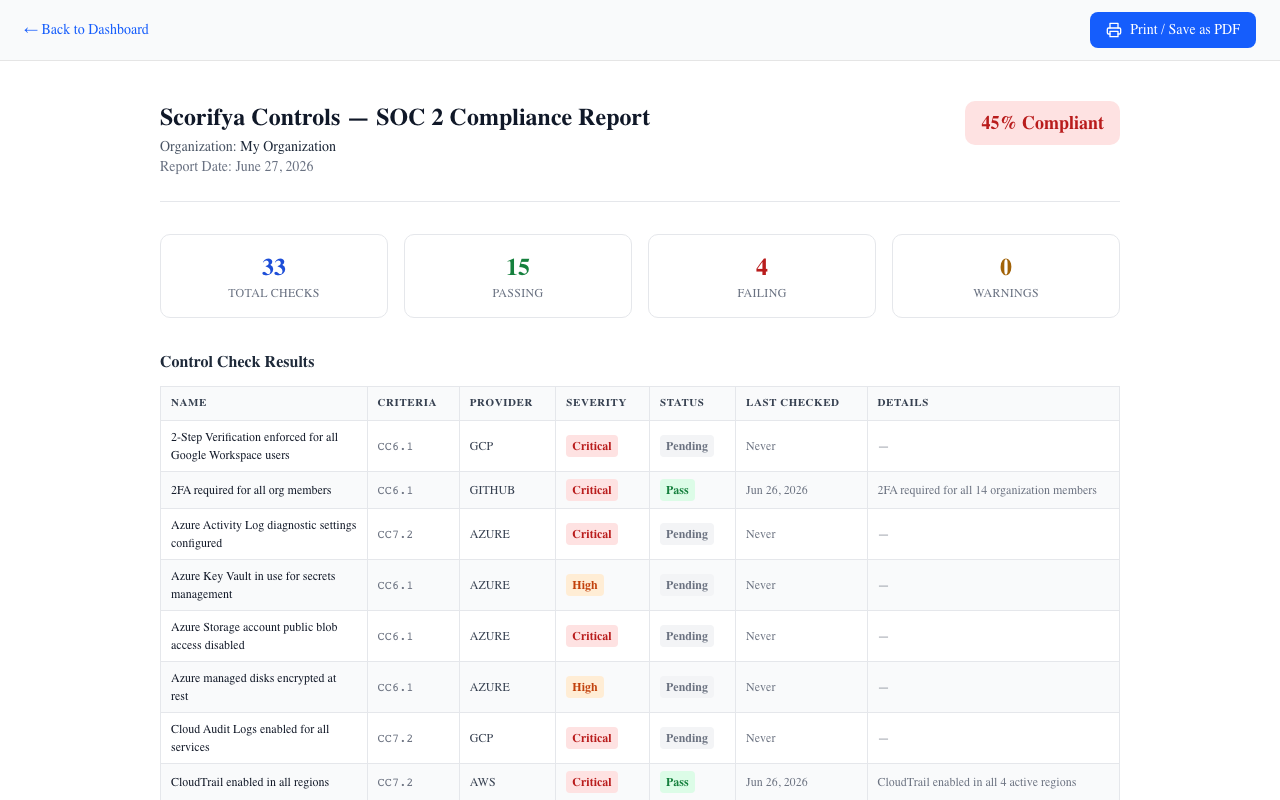
When your CPA firm requests evidence, you hand them this. Your organization name. Report date. Overall posture summary. A complete table mapping every check to its Trust Services Criterion with pass/fail status. No waiting on a support ticket to generate your own report. File → Print → Save as PDF in your browser, and you have a document your auditor can open and review in their own workflow. The audit report is the reason everything else in Controls exists, and it's generated from data that has never left your server.
License key delivered by email within minutes. Cancel and update your card any time from your billing portal. Existing customer? Recover your license key or change your registered domain. Need an invoice or Net-30 (Team and Enterprise)? Contact us.
More detailed answers to real-world issues, evidence that satisfies auditors, common check failures, air-gapped deployments, and more, in the full help guide →